Official MEPCO Website – Services, Features and Bill Access
The official MEPCO website has become the primary source for consumers who want quick access to their electricity records. Among its most used tools, the mepco web bill system stands out for offering fast and reliable bill checking. As digital services expand in Pakistan, MEPCO’s online platform helps millions of users manage billing, complaints, and service requests without visiting any office.
This guide explains how the MEPCO website works, what services it offers, and how to check and download your MEPCO bill using the web bill system.
Understanding the MEPCO Web Bill System
The mepco web bill feature allows you to check your monthly electricity bill instantly by entering your reference number. It has replaced the hassle of waiting for paper bills or visiting a customer service center.
MEPCO provides this service to help consumers stay updated on billing and avoid late payment issues. Because the system works online, you can access your bill anytime from your mobile or computer.
MEPCO Website Services and Features
The official website offers several useful tools designed to support customers. Each feature ensures convenience and transparency in routine electricity management.
Bill Services on the MEPCO Website
MEPCO Web Bill Checking
The most popular feature is the mepco web bill system. It shows duplicate bills, due dates, meter readings, and payable amounts. You only need your reference number to generate your bill online.

Download and Print Options
Once the bill appears, consumers can download or print the duplicate MEPCO bill. This helps with payments at banks and ATMs.
Billing History
The website also displays previous bill details. Users can track past consumption patterns to understand changes in usage.
Customer Support Services
Online Complaints
MEPCO’s complaint portal allows users to submit issues related to billing errors, meter problems, or outages. It also provides complaint tracking for follow-ups.
New Connection Applications
The website includes a standard application form for new meter connections. It details the required documents and steps so applicants can complete the process confidently.
Load Shedding Updates
Consumers can view scheduled maintenance or area-specific load shedding plans. This helps households plan around power interruptions.
Consumer Information and Guidelines
Tariff Structure
The site includes updated tariff categories for domestic, commercial, and industrial users. Understanding tariffs helps consumers estimate electricity costs.
Safety Information
MEPCO publishes safety instructions to prevent household electrical accidents. These guidelines are helpful for families and businesses.
Awareness Alerts
The website issues alerts about scams, meter tampering penalties, and seasonal usage tips.
How to Access Your MEPCO Web Bill
Checking your mepco web bill is simple, and the process takes only a few seconds. You can follow these steps to get your bill online.
Step-by-Step Guide
Open the MEPCO Bill Page
Go to the official MEPCO bill page and locate the duplicate bill section.
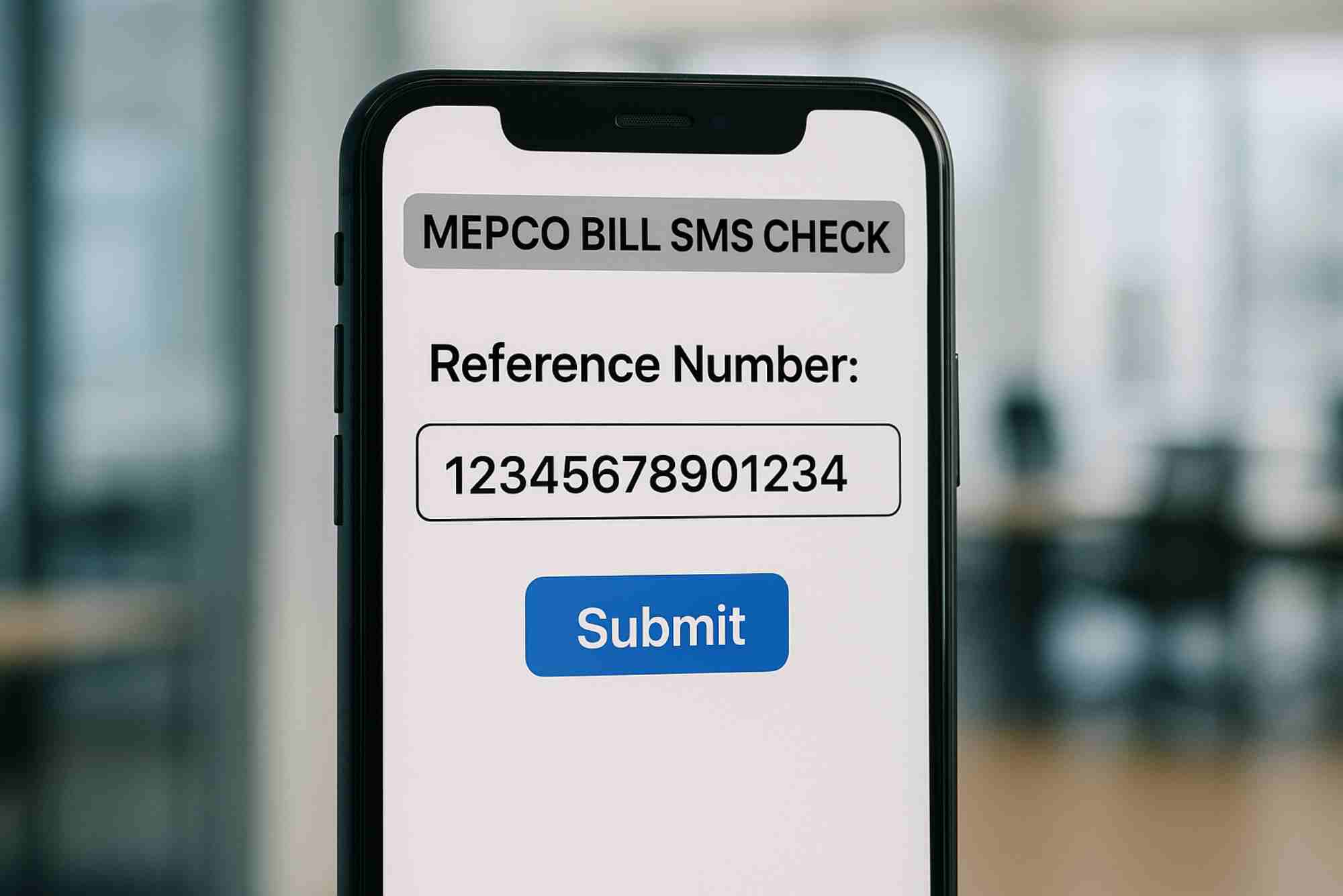
Find Your 14-Digit Reference Number
The reference number is printed on any previous electricity bill. Enter it accurately for correct results.
Generate Your Web Bill
Press the “Submit” or “Generate” button. Your MEPCO bill will appear on the screen.
Download or Print
You can print the duplicate bill or save it as a PDF for later use.
If you want a simple method, visit this guide with the anchor text MEPCO Online Bill Check and access the tool easily through this internal link.
For multi-company access and online bill tools, you can also visit.
Why the MEPCO Web Bill System Is Important
The digital bill system helps MEPCO improve customer experience. Consumers no longer wait for paper bills or depend on office visits. Using the mepco web bill service ensures timely payments and prevents electricity disconnections caused by missing bills.
It also supports Pakistan’s move toward digital solutions, reducing paperwork and improving efficiency.
Common Problems Users Face and Their Solutions
Many users encounter challenges while checking their MEPCO bills online. Here are practical solutions based on common issues.
Reference Number Errors
If your bill does not load, the reference number may be incorrect. Double-check the digits, especially the last two sections.
Website Not Loading
Heavy traffic can slow the MEPCO site. Refresh the page or wait a few minutes before trying again.
Bill Not Updated
Sometimes the latest bill is not uploaded early in the month. Try checking after the 3rd or 4th day.
Printing Issues
If your bill does not print, download it first as a PDF and then print it from your device.
Benefits of Using the MEPCO Website
The MEPCO website brings several advantages to consumers across South Punjab. It helps save time and offers accessibility that traditional methods cannot match.
Fast Access to Bills
You can access your mepco web bill instantly, even after office hours.
Convenience
Users can check bills from home, office, or while traveling.
Transparency in Billing
The system displays meter readings, units consumed, and taxes clearly.
Environment-Friendly
Digital bills reduce paper usage and support eco-friendly practices.
Expert Tips to Manage Your MEPCO Bill Effectively
The MEPCO website can help consumers control their electricity usage. Here are expert suggestions to manage your monthly bills better.
Track Monthly Units
Regular bill checking helps you monitor consumption. If you notice sudden increases, investigate appliance usage.
Pay Before the Due Date
Use the duplicate bill feature to avoid delays. Paying early prevents extra charges.
Compare Consumption Patterns
The website’s billing history makes it easy to compare previous months and adjust usage.
Use Energy-Efficient Appliances
Replacing old appliances with efficient ones reduces electricity costs significantly.
FAQs
These FAQs reflect real user queries from Google’s “People Also Ask” section.
How can I check my MEPCO bill online?
You can check your mepco web bill by entering your reference number on the MEPCO bill page. It displays your bill instantly.
Can I download my MEPCO duplicate bill?
Yes, you can download or print the duplicate bill directly from the MEPCO website.
What is a MEPCO reference number?
It is a 14-digit number printed on your electricity bill. It helps the system identify your connection.
Why is my MEPCO bill not showing online?
The bill may not be updated yet, or the website may be experiencing high traffic. Try again after some time.
Does MEPCO send bills through SMS?
Some users receive SMS notifications, but the web portal remains the most reliable method for checking bills online.
The official MEPCO website offers a fast and easy way to manage your monthly electricity records. With tools like the mepco web bill system, duplicate bill downloads, and online complaint features, consumers can handle most tasks without visiting any office. The website is user-friendly, reliable, and essential for today’s digital lifestyle.