IESCO Mobile App – Features, Download and Login Guide
Understanding how to manage your electricity services digitally has become essential, especially for customers of the Islamabad Electric Supply Company (IESCO). As consumers look for convenient and reliable tools, the IESCO Mobile App has become a powerful solution for bill tracking, complaints, load management updates, and even guidance for processes like the IESCO new meter application. This comprehensive guide explains everything you need to know, from downloading the app to exploring its features, logging in, and using it effectively based on real experiences of IESCO users.
Introduction
Electricity consumers in Pakistan want services that are fast, transparent, and easy to manage. The IESCO Mobile App fills that gap by offering a smooth digital platform for handling daily electricity-related tasks. Whether you want to monitor your monthly bill, report a technical issue, or track the status of your IESCO new meter application, the app brings all services to your fingertips. In today’s digital lifestyle, having access to your electricity data anytime builds confidence and helps avoid unnecessary visits to customer service centers.
The following in-depth guide walks you through the app’s features, download options, login details, and ways it helps new customers submit and track their service requests. As you move through each section, you will see how thoughtfully designed tools inside the app can save time, reduce stress, and offer clarity in situations that often feel complicated.
IESCO Mobile App Overview
The IESCO Mobile App is designed for both residential and commercial consumers. It delivers real-time access to billing information, complaint registration, power outage updates, and service request tracking. Since many customers previously relied on physical visits to IESCO offices, the mobile platform now simplifies their experience by offering accurate digital updates.
Key Features of the IESCO Mobile App
The most impressive part of the IESCO Mobile App is its ability to combine multiple services into one cohesive system. It starts with a user-friendly dashboard that presents essential information at a glance, including the most recent bill reference number, customer details, and the current month’s units. Users searching for IESCO new meter application assistance can also navigate the app’s service request tools, which offer updated guidelines, forms, and submission instructions.
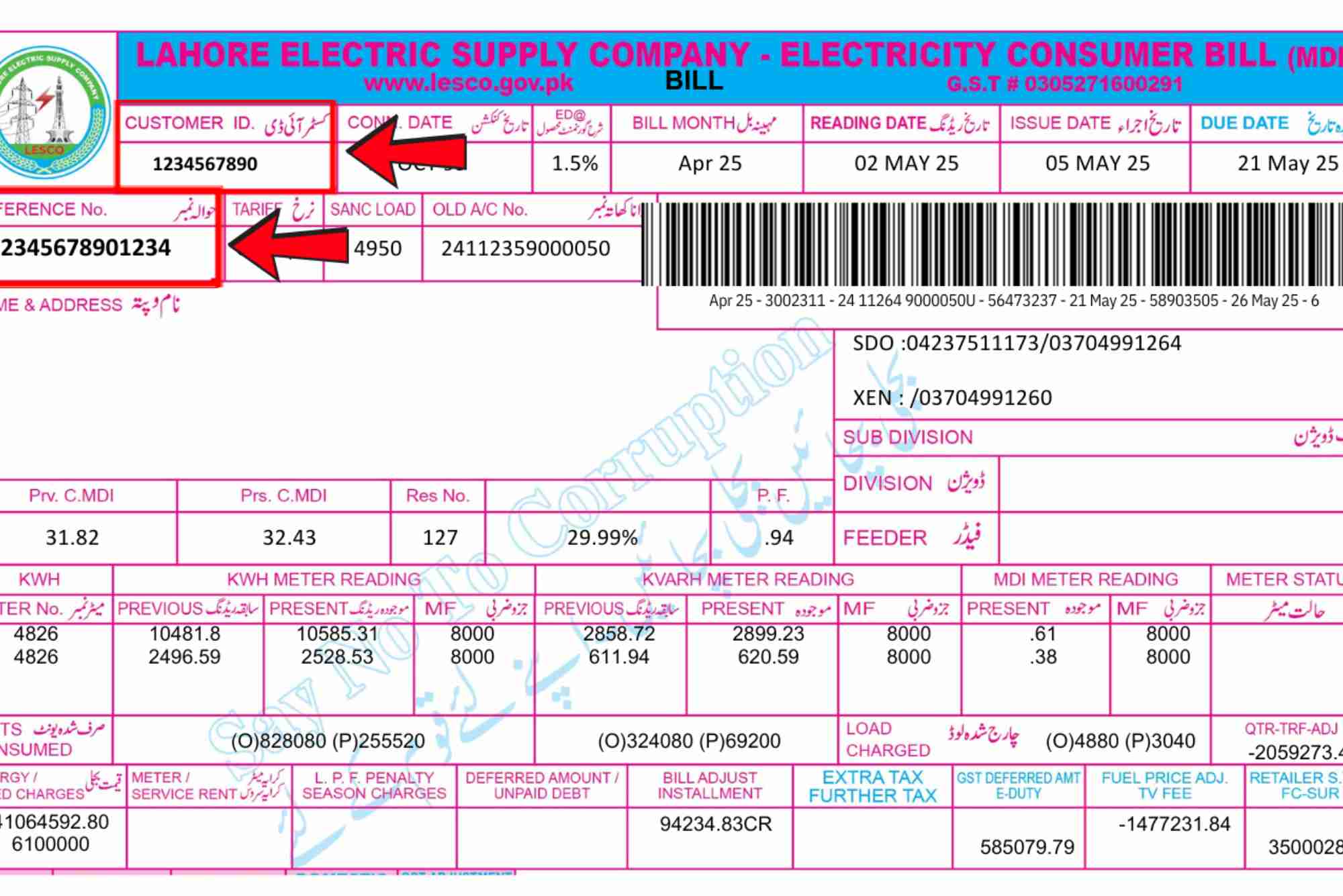
Another major advantage is the ease of accessing monthly electricity bills. Customers who used to wait for printed copies can now view and download their bills instantly. Many individuals also rely on secure links like IESCO Online Bill Check and Online Bill Check to verify bill details, and the app naturally complements those digital tools.

The app also assists with meter-related services. Applicants interested in submitting a new connection request can use the guidelines available inside the app to better understand the process, required documents, and timelines. This support is helpful for those applying for a new home connection, business expansion, or shifting to a new location under the IESCO jurisdiction.
How to Download the IESCO Mobile App
The IESCO Mobile App is available on both Android and iOS platforms. Downloading it is simple, and the process is similar to installing any other utility app. Android users can find the app on the Google Play Store by searching “IESCO Mobile App,” while iPhone users can locate it on the Apple App Store. The download size is small, which ensures quick installation even on slower connections.
Once downloaded, the app asks for basic permissions, such as access to notifications, so customers can receive alerts about power shutdowns, new bills, or complaint status updates. It is recommended to allow these permissions so you never miss important updates regarding your connection.
How to Create an Account and Log In
Logging in to the app is straightforward, as it only requires your registered mobile number or email address. The app sends a verification code to ensure secure access. Once logged in, you can save your account details, including the reference numbers of multiple electricity connections if you manage more than one property.
This multi-account option is highly beneficial for business owners, landlords, and real estate managers who monitor different IESCO meters. The login system is designed with security in mind, ensuring your information is safe against unauthorized access.
Using the IESCO App for New Meter Application
One of the most relevant questions many users ask is how the app supports the IESCO new meter application process. Currently, the app offers guidance, required documentation, fee structures, timelines, and status-tracking options. While the formal submission may require visiting the online new connection portal, the IESCO app keeps you fully informed about each step.
Customers preparing for a new meter request can consult the app to understand property requirements, connection types, load demand calculations, and installation stages. The app also helps in tracking progress once the application is officially submitted online or through a customer service center. This reduces confusion, prevents delays, and helps applicants stay prepared for any document verification or inspection-related steps.
Bill Checking and Payment Support
For many people, the billing feature is the most frequently used tool inside the app. Instead of waiting for a printed bill, you can instantly view your current month’s amount, due date, and consumed units. Past bill history is also available for users who want to monitor their electricity usage trends.
In addition to the app’s built-in system, digital resources like IESCO Online Bill Check and Online Bill Check remain popular for customers who prefer accessing bill copies directly from third-party tools. These platforms support quick verification even when the IESCO app experiences high traffic during billing peak days.
Power Outage and Load-Shedding Information
IESCO customers often face uncertainty during unplanned outages or scheduled maintenance shutdowns. The mobile app addresses this by providing real-time updates. Users can check their area’s status instantly instead of calling helplines or visiting service centers. This improves transparency and helps people prepare for planned power interruptions.
The feature is especially valuable for businesses that rely on electricity for daily operations. By checking the outage schedule in the app, they can adjust their workflow and avoid disruptions.
Complaint Registration and Tracking
One area where the IESCO Mobile App truly enhances user experience is complaint management. Whether you want to report a faulty meter, incorrect bill, voltage issue, transformer malfunction, or an emergency power failure, the app allows you to file complaints directly. Each complaint receives a tracking ID, and you can monitor progress without repeatedly calling support lines.
The availability of customer service representatives inside the app through chat or support request options ensures that your issues are handled in a timely manner.
Customer Support and Guidance Materials
The app includes helpful resources such as FAQs, tutorials, documentation requirements, and safety instructions. This helps new users understand the procedures without feeling overwhelmed. The support material related to the IESCO new meter application is frequently updated to reflect policy or technical changes.
(FAQs)
Here are answers to some real user questions often appearing in Google’s “People Also Ask”:
How can I apply for a new meter in IESCO?
You can apply through the IESCO New Connection portal online. The mobile app provides guidance, documentation lists, and tracking help, but the final application is submitted through the official portal.
How do I check my IESCO bill online?
You can use the IESCO Mobile App or visit digital platforms such as IESCO Online Bill Check to download or view your monthly bill.
Can I submit a complaint through the IESCO app?
Yes, the app allows customers to submit complaints, receive a tracking number, and follow up on the status without calling the helpline.
Is the IESCO app free to use?
Yes, the app is completely free and available on both Android and iOS devices.
The IESCO Mobile App is a powerful digital tool for electricity customers who want quick access to billing, complaints, power updates, and service request information. Whether you are checking your bill, monitoring outages, or learning about the IESCO new meter application, the app offers valuable assistance with a smooth and user-friendly interface. It eliminates the need for physical visits, saves time, and ensures transparent communication.
If you want to stay updated with accurate bill information anytime, explore helpful tools like IESCO Online Bill Check and Online Bill Check, or download the official app today to enjoy seamless electricity management.