Guide to How To Check Mepco Bill Paid Or Not
Electricity bills are a part of everyday life, and ensuring your MEPCO bill is paid on time is crucial. Missing a payment can lead to penalties or service interruptions. If you’ve ever wondered how to check Mepco bill paid or not, this guide will walk you through the process step by step, using simple and reliable methods.
Understanding MEPCO Bill Payments
The Multan Electric Power Company (MEPCO) serves millions of customers across southern Punjab. Its billing system is designed for convenience, offering both offline and online payment options. Knowing whether your bill has been paid prevents confusion and avoids late fees.
Why Checking Your Bill Status Is Important
Checking your bill status ensures your payments are recorded accurately. It also helps you track your electricity consumption and detect any discrepancies. By confirming your payment, you maintain uninterrupted electricity services and avoid unnecessary charges.
Methods to Check MEPCO Bill Paid Status
There are several ways to verify if your MEPCO bill has been paid. You can choose the method that suits you best, whether online, through SMS, or by visiting a local office.
MEPCO Online Bill Check
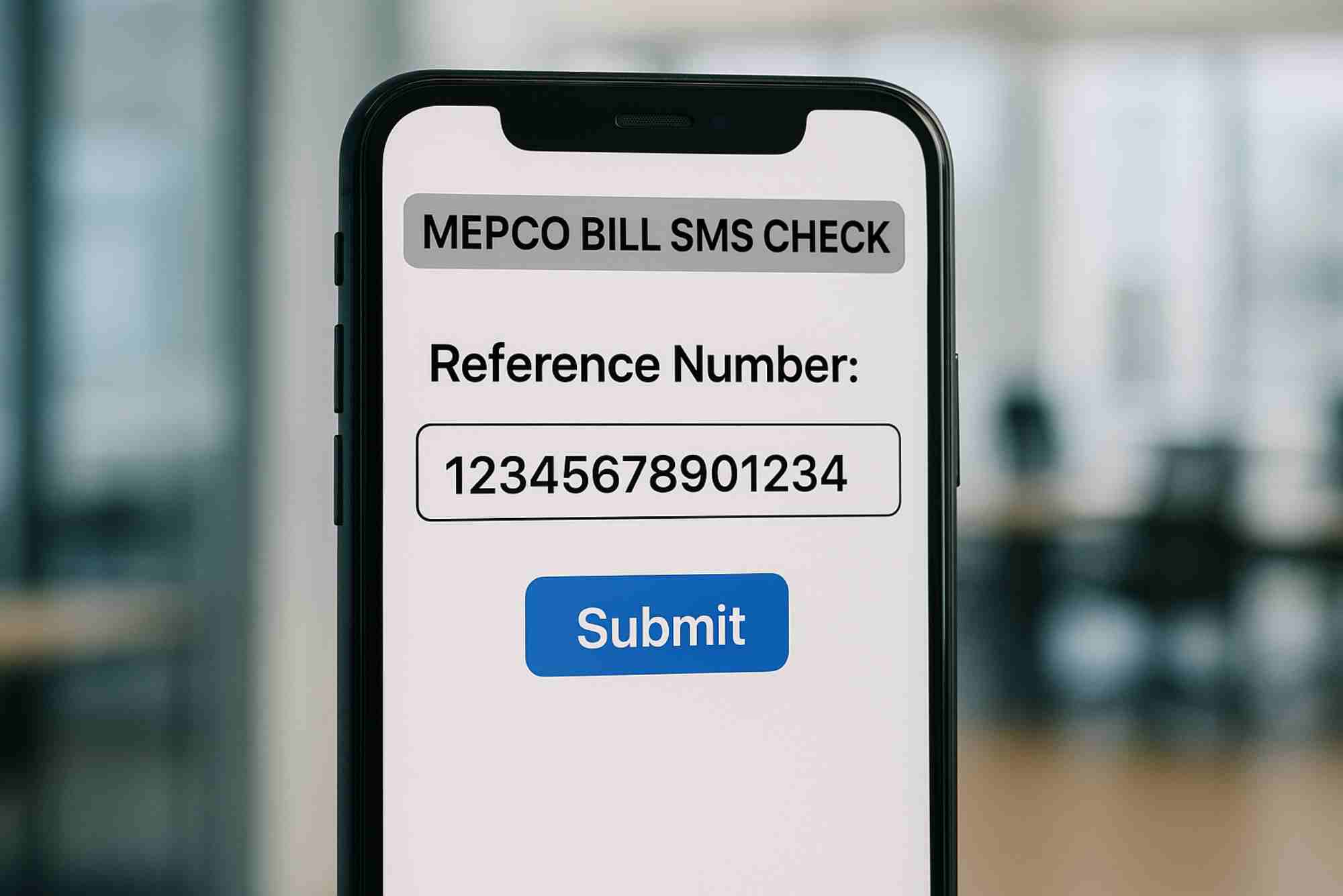
The most convenient method is the MEPCO Online Bill Check. MEPCO offers an official online portal where you can quickly see your bill payment status. To use it:
- Visit the MEPCO online bill portal.
- Enter your customer reference number found on your bill.
- Click “Submit” to view your payment status and bill details.
This method provides real-time updates, making it easy to confirm if your bill has been paid without visiting a physical office.
Using SMS Services
MEPCO also offers SMS-based services. By sending your customer reference number to the designated MEPCO number, you can receive your bill status directly on your phone. This is ideal for users without internet access or those who prefer mobile updates.
Visiting MEPCO Customer Service Centers
If you prefer offline verification, you can visit any MEPCO customer service center. Bring your bill copy and identification, and the staff will assist you in confirming your payment status. Though less convenient, this method ensures clarity and documentation.
Through Banking Apps or Mobile Payment Platforms
Many banks and mobile payment platforms provide MEPCO bill payment verification. By logging into your banking app, you can see your transaction history and confirm if the payment was successfully processed. This method adds an extra layer of assurance for digital payments.
Tips for Accurate Bill Status Checks
To avoid mistakes while checking your MEPCO bill, keep these tips in mind:
- Always use your correct customer reference number.
- Clear your browser cache or use a trusted device for online checks.
- Keep proof of payment if you pay through offline methods.
- Cross-check through more than one method if unsure.
By following these steps, you can confidently know whether your bill has been paid.
Common Problems and How to Solve Them
Sometimes users encounter issues while verifying payments. Here are common problems and solutions:
Payment Not Reflected Online
If your online bill status doesn’t show your recent payment, wait 24 hours. Payments sometimes take time to process. If the issue persists, contact MEPCO support with your payment receipt.
Incorrect Customer Reference Number
Entering the wrong customer reference number will prevent you from accessing your bill details. Double-check the number on your bill to ensure accuracy.
Internet Connectivity Issues
A slow or unstable internet connection can hinder online bill checks. Try using another device or stable network, or use the SMS method as a backup.
FAQs
Can I check my MEPCO bill paid status without internet?
Yes, you can use SMS services or visit a MEPCO customer service center.
How long does it take for MEPCO online payment to reflect?
Payments usually update within 24 hours, but it may take longer on holidays or weekends.
Is there a fee for checking bill status online?
No, the MEPCO online bill check service is free for all customers.
Can I verify payments made through banks?
Yes, banking apps and mobile payment platforms allow you to track MEPCO bill payments.
What should I do if my payment is not reflected?
Retain your payment proof and contact MEPCO support immediately for assistance.
Take control of your electricity bills today. For an instant and reliable Online Bill Check, visit MEPCO’s official portal and confirm your payment status now.