Complete Guide to Iesco Consumer Bill (IESCO)
Understanding your iesco consumer bill is essential if you live or run a business in Islamabad or nearby regions. Many users struggle to read their bill, calculate units, or check the due date online. This guide explains everything in simple language, from online bill checking to tariff details and FAQs. Whether you want a duplicate bill, meter reading info, or a breakdown of charges, this guide will help you understand your IESCO bill confidently.
What Is an IESCO Consumer Bill?
An iesco consumer bill is the monthly electricity bill issued by the Islamabad Electric Supply Company. It shows the total units consumed, meter reading, taxes, and any outstanding amounts. IESCO supplies power to Islamabad, Rawalpindi, Attock, Jhelum, and Chakwal districts. Each bill includes important details like reference number, due date, meter number, tariff type, and total amount payable.
Understanding each section helps you avoid errors, pay on time, and track energy usage.
How to Check Your Iesco Consumer Bill Online
IESCO has made online bill checking simple for all consumers. You can now view, download, and print your bill using your reference number. Many users prefer online systems because they are fast, free, and available 24/7.
To check your bill instantly, you can use the link here: IESCO Online Bill Check.
This online portal works for domestic, commercial, and industrial consumers.
Steps to Download an Iesco Consumer Bill
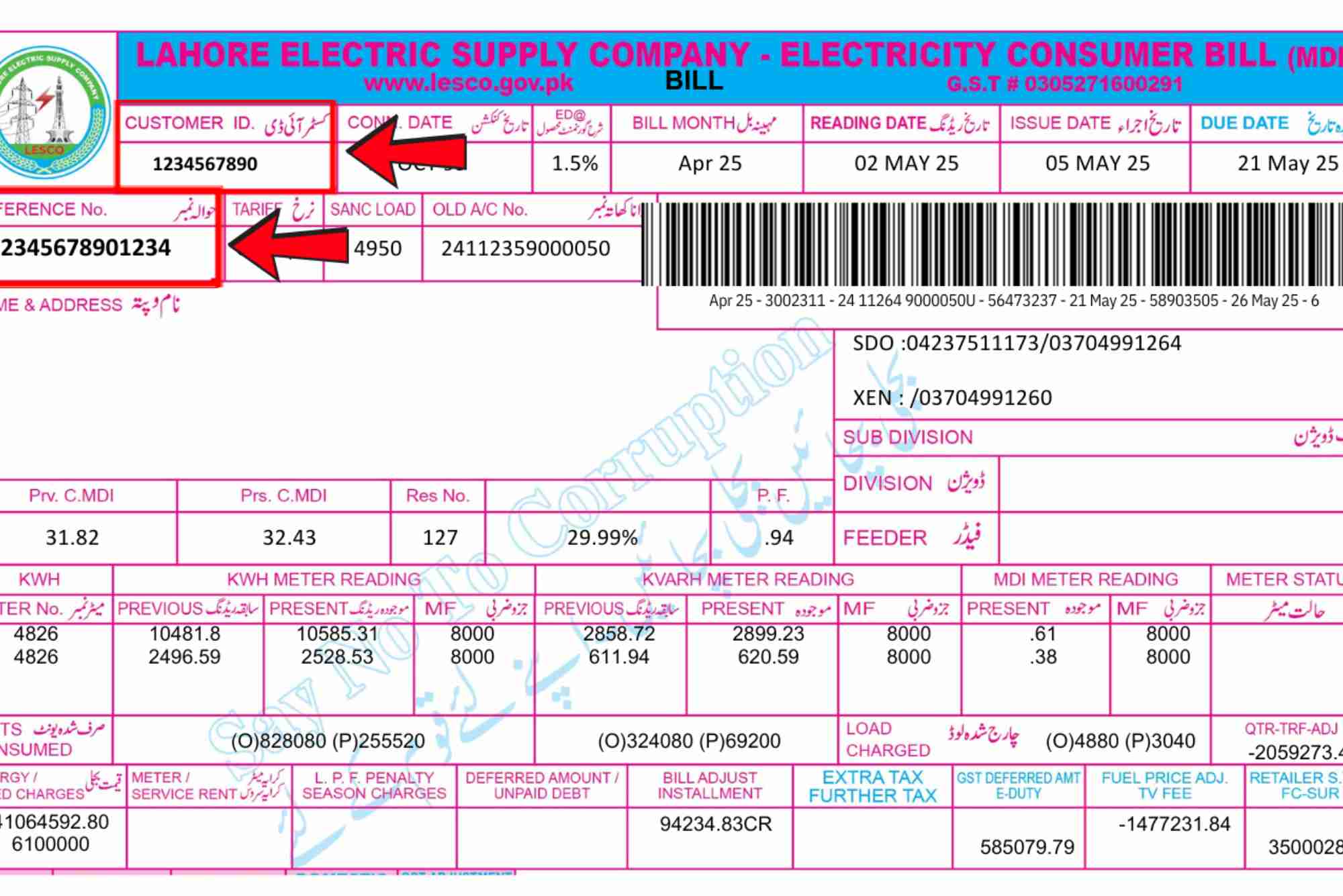
You only need your 14-digit reference number to get your duplicate IESCO bill. Most users keep this number saved on their phone for quick access.
Find Your Reference Number
Your reference number is printed on the top left of your bill. It stays the same every month.
Enter the Number Online
Open the official bill-checking portal or this simple shortcut: Online Bill Check. Enter your number and click submit.
View or Print Your Bill
Your latest iesco consumer bill will appear. You can save it as a PDF or take a screenshot for payment.
Understanding Sections of the Iesco Consumer Bill
Knowing how to read your bill helps you manage usage and identify mistakes. Each section has a specific purpose.
Consumer Information
This part includes your name, address, meter number, and tariff type. Always check for typing errors.
Meter Reading Data
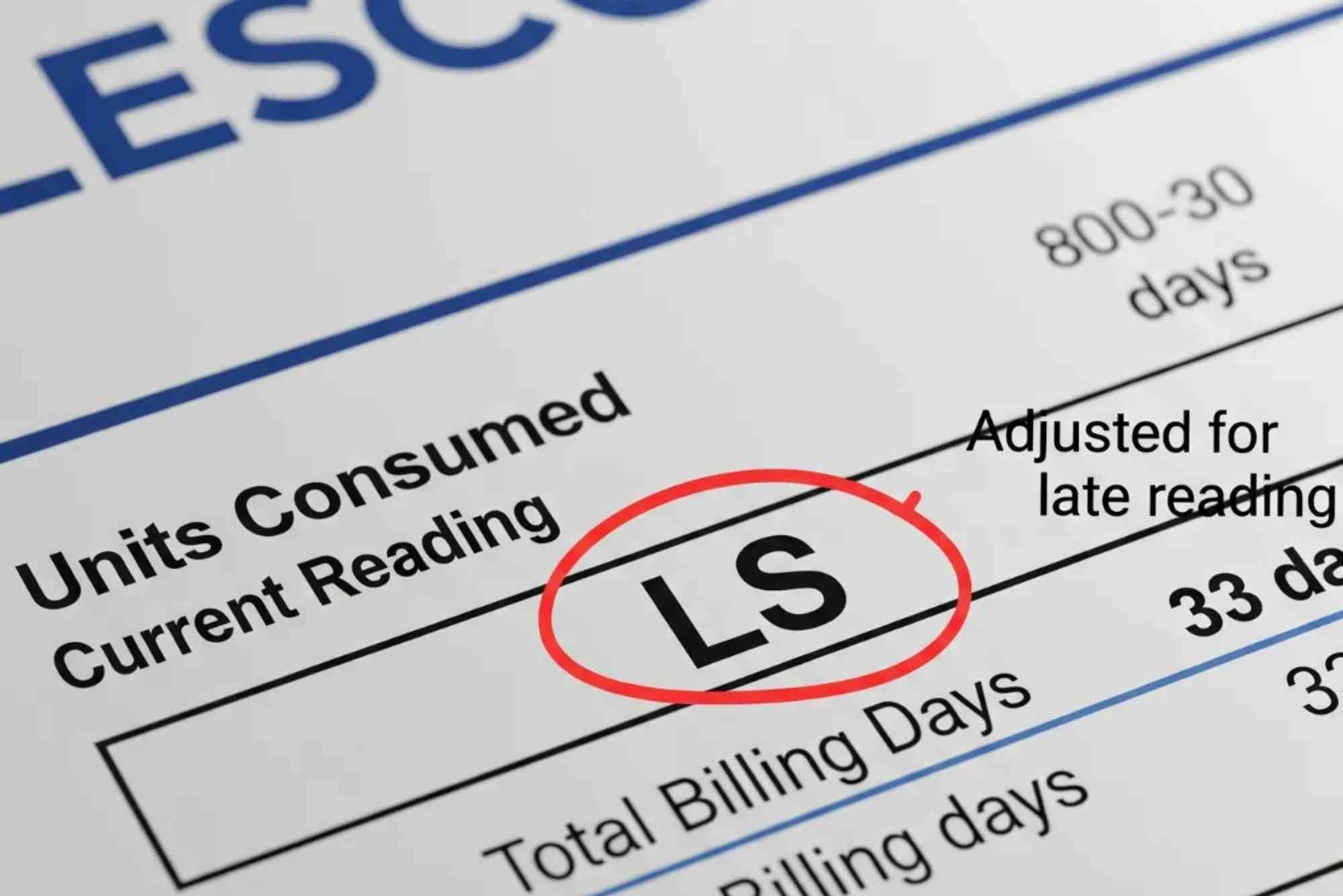
This shows present and previous readings. The difference between these numbers gives your units consumed for the month.
Units Consumed
The units determine your bill. Higher units move you into higher tariff slabs, which increase the rate per unit.
Tariff and Charges
Every iesco consumer bill includes fixed charges, variable charges, and taxes. These may include FPA, GST, TV license fee, and QTR adjustments.
Total Payable Amount
This is the final amount due before the due date. After the due date, late payment surcharge applies.
How the Iesco Consumer Bill Calculates Units
IESCO follows a simple unit calculation formula. Your meter records consumption based on kilowatt hours.
Basic Formula
Current reading minus previous reading gives total units. If the meter shows abnormal jumps, contact your nearest IESCO office.
Faulty Meter Indicators
Sudden spikes, zero units for many months, or inconsistent reading can indicate a faulty meter. Request a test through the complaint center.
Common Taxes and Charges in Iesco Consumer Bill
Your bill contains several taxes set by NEPRA and the Government of Pakistan. These vary monthly.
Fuel Price Adjustment (FPA)
FPA changes based on fuel costs in the previous month. High fuel charges increase total payable units.
Quarterly Adjustment
NEPRA reviews tariffs each quarter. These adjustments may increase or reduce your bill.
GST and Electricity Duty
These taxes apply to every consumer based on unit consumption.
TV License Fee
Domestic users pay a small fixed fee for the national TV license included in the bill.
How to Pay Your Iesco Consumer Bill
IESCO provides multiple methods for paying bills.
Payment at Banks
You can visit any bank branch, show the printed or digital bill, and make the payment.
Mobile Banking Apps
JazzCash, Easypaisa, and bank apps allow instant bill payment by entering the reference number.
ATM Machines
Use your default bank ATM to pay your electricity bill without paperwork.
How to Reduce the Amount of Your Iesco Consumer Bill
Managing electricity usage reduces your monthly bill.
Control Peak-Time Usage
Units used during peak hours cost more. Shift heavy appliances to off-peak times.
Use Energy Efficient Products
LED bulbs, inverter ACs, and efficient fans lower consumption.
Maintain Appliances
Old appliances consume more power. Regular maintenance saves energy.
Check Wiring
Faulty wiring can increase units without your knowledge.
How to Apply for a New Iesco Connection
If you are building a house or shifting to a new location, you can apply for a new meter connection.
Required Documents
You need CNIC copy, ownership papers, and an application form.
Application Submission
Submit the form online or at the nearest IESCO office. The process includes verification and site inspection.
Meter Installation
After approval, IESCO installs the meter within the specified timeline.
How to Check Old or Previous Iesco Consumer Bills
You may need old bills for record or official use.
Using Reference Number
Enter your reference number on the online portal to download previous months.
Using Mobile Apps
Banking apps store last 12 months of paid bills. You can download records anytime.
Iesco Consumer Bill Complaints and Helplines
IESCO provides several options for lodging complaints.
Customer Service Helpline
Call the helpline for fault reporting or billing issues.
Complaint Center
Visit your local IESCO office for meter, tariff, or misbilling complaints.
WhatsApp or SMS Services
IESCO updates consumers through digital channels for outages or maintenance.
Latest Updates in Iesco Consumer Bill System 2025
IESCO is improving its billing and digital services.
Smart Meter Rollout
Smart meters provide real-time usage updates and reduce billing errors.
Online Consumer Portal
Users can now update profiles, track complaints, and download bills from one platform.
Load Management Alerts
IESCO sends SMS alerts for scheduled outages and maintenance.
FAQs
How can I check my IESCO bill online?
You can check your bill with your 14-digit reference number through the official portal or the IESCO Online Bill Check link.
How can I download my IESCO duplicate bill?
Enter your reference number on the online bill checking page and press submit. Your duplicate bill will appear for download.
What is the reference number on an IESCO bill?
It is a unique 14-digit number printed on the top-left area of your bill. It stays the same every month.
What is FPA in IESCO bill?
FPA stands for Fuel Price Adjustment. It changes based on monthly fuel price variations from NEPRA.
Why is my IESCO bill so high?
High unit consumption, increased FPA, quarterly adjustments, and peak-time usage often cause higher bills.
Managing your iesco consumer bill becomes easier when you understand each section. Online bill checking helps you avoid stress and saves time. Use energy wisely, track your bills, and keep an eye on tariff updates to reduce monthly costs.