IESCO Mobile App – Features, Download and Login Guide
In today’s digital age, convenience and accessibility have become the heart of modern services. The Islamabad Electric Supply Company (IESCO) understands this well and has developed the IESCO meter application — a user-friendly mobile app designed to make electricity management simpler for its consumers. Whether you want to check your electricity bill, track your meter reading, or lodge a complaint, the IESCO mobile app has made everything accessible within a few taps.
This comprehensive guide covers everything you need to know about the IESCO mobile app — from its top features to how to download, install, and log in. By the end of this article, you’ll have complete confidence in using the IESCO meter application efficiently.
What is the IESCO Meter Application?
The IESCO meter application is an official digital service launched by the Islamabad Electric Supply Company to help users manage their electricity accounts conveniently. Instead of visiting offices or waiting in long queues, consumers can now monitor their bills, submit complaints, and access other IESCO services right from their mobile phones.
This app not only promotes digital convenience but also enhances transparency by providing real-time data about electricity consumption, billing history, and account updates. It’s an ideal solution for those who want to stay updated with their monthly electricity details without any hassle.
Key Features of the IESCO Mobile App
The IESCO mobile app is packed with features designed to simplify the user experience. From checking bills to managing account details, it offers everything in one place. Here are the most notable features that make the IESCO meter application an essential tool for consumers.
Easy Bill Checking
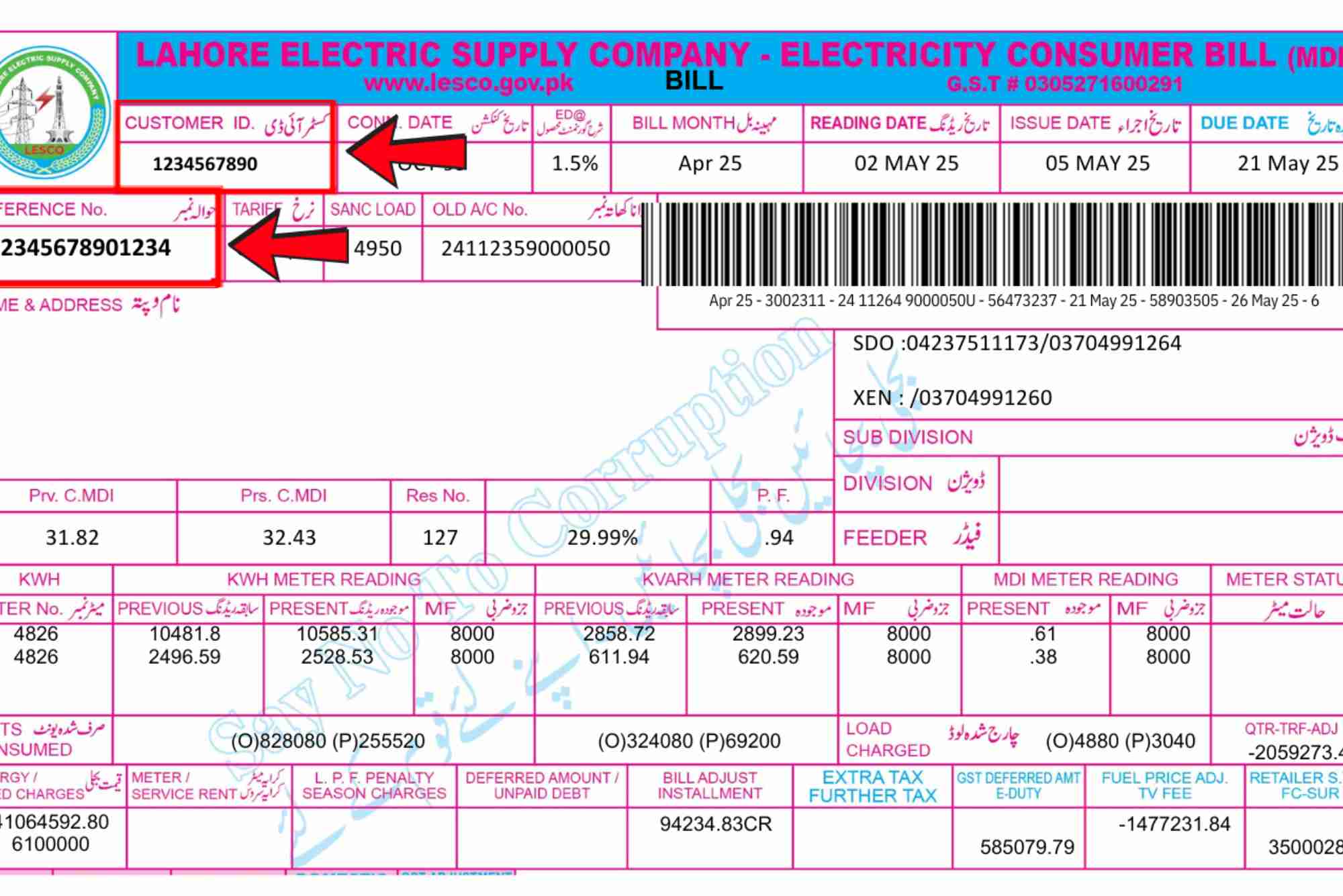
One of the most important features of the app is the ability to check your monthly electricity bill instantly. By entering your reference number, you can view your bill details, including current charges, due dates, and previous payments. If you ever lose your physical bill, the app provides a reliable digital alternative. You can also visit IESCO Online Bill Check to view your bill directly.

Real-Time Meter Reading Updates
Consumers can now track their electricity usage in real time. The IESCO app syncs with your meter data, showing accurate readings that help you monitor consumption trends. This transparency allows users to plan their energy use and budget effectively.
Complaint Registration and Tracking
The IESCO meter application also serves as a complaint management platform. Users can submit complaints related to electricity outages, billing errors, or meter issues. Once a complaint is filed, the app allows tracking until it is resolved, saving you from repeated visits to customer service offices.
User-Friendly Dashboard
The app’s interface is intuitive and organized. With its simple design, anyone can navigate the menu easily. All important sections such as billing, meter reading, and complaint management are accessible through a single dashboard.
Notifications and Alerts
To ensure consumers never miss due dates or important updates, the app sends instant alerts. Whether it’s a bill due date, load-shedding notice, or maintenance update, the IESCO app keeps you informed in real time.
Secure Login and Account Management
The app provides a secure login system to protect your personal information. Users can link multiple connections to a single account, making it easy for those managing more than one property.
Payment Integration (Coming Soon)
IESCO is also working on adding online payment features to the app, allowing users to pay their bills directly from the application using their preferred digital payment method.
How to Download the IESCO Meter Application
Downloading the IESCO meter application is simple and straightforward. It is available for both Android and iOS devices.
For Android Users
Open Google Play Store and search for “IESCO Mobile App.” Once found, tap on “Install.” After installation, open the app and register using your IESCO account information.
For iPhone Users
Go to the Apple App Store, search for “IESCO Mobile App,” and download it. Follow the same registration steps as Android users.
Ensure you have an active internet connection during installation and login. The app is lightweight, requiring minimal space and processing power, making it suitable even for older devices.
How to Register and Login to the IESCO Mobile App
Once installed, setting up your account is quick.
Registration Process
Open the app and click on “Register.” Enter your name, email address, contact number, and create a secure password. You’ll also need your IESCO reference number, which is available on your bill. Once submitted, you’ll receive a verification code via SMS or email. Enter the code to complete your registration.
Login Process
After registration, return to the login screen and enter your email and password. You can now access all features, including billing, complaints, and meter updates. For future convenience, enable the “Remember Me” option so you won’t need to log in each time.
How to Check Your IESCO Bill Using the App
Checking your electricity bill through the app is effortless. Simply log in, navigate to the “Bill Inquiry” section, and enter your reference number. Your latest bill will appear instantly, showing all details, including billing month, units consumed, and payment history.
If you prefer checking through a website, you can also visit Online Bill Check for instant access to your IESCO bill.
Benefits of Using the IESCO Meter Application
The IESCO meter application offers several benefits to consumers that go beyond convenience. It’s not just about checking bills — it’s about empowering users with digital control over their electricity accounts.
Saves Time and Effort
With just a few taps, you can perform tasks that once required visiting an office. Whether it’s downloading your bill or registering a complaint, everything can be done from home.
Improves Transparency
Consumers can monitor their real-time meter readings, which eliminates confusion regarding billing accuracy. This transparency helps build trust between the company and its customers.
Enhances Customer Support
The complaint tracking feature ensures users receive timely updates about their queries. It has made the entire support process more efficient and user-centered.
Eco-Friendly Approach
By reducing dependency on printed bills, the app contributes to environmental sustainability. Digital bills minimize paper usage, helping preserve natural resources.
Troubleshooting Common IESCO App Issues
Like any app, users may occasionally face issues while using the IESCO mobile app. Common problems include login errors, delayed data updates, or app crashes.
Login Problems
If you’re unable to log in, check your internet connection and ensure you’ve entered the correct credentials. If you forgot your password, use the “Forgot Password” option to reset it via email.
Data Sync Delays
Sometimes, billing or meter data may take time to update. This usually happens during system maintenance. Wait a few hours and refresh the app.
App Not Opening
If the app crashes frequently, try updating it to the latest version from the Play Store or App Store. Clearing cache data may also resolve performance issues.
Future Enhancements Expected in the IESCO App
IESCO is continuously improving its digital services. Upcoming features include integrated online payments, push notifications for power outages, and detailed consumption analytics. These updates will make the IESCO meter application even more efficient and customer-friendly.
The IESCO meter application is a step forward in digital electricity management. With its easy interface, instant bill access, and efficient complaint handling, it empowers consumers with control and convenience. By adopting this app, you can manage your electricity account effortlessly and save valuable time.
If you haven’t downloaded the IESCO app yet, now is the perfect time. Visit your device’s app store, download the app, and take full advantage of its smart features. For instant bill access, don’t forget to check your account using IESCO Online Bill Check or visit Online Bill Check anytime.
FAQs
How can I check my IESCO bill through the mobile app?
You can check your bill by opening the app, navigating to the “Bill Inquiry” section, and entering your reference number. Your bill will appear instantly.
Is the IESCO mobile app available for both Android and iPhone?
Yes, the IESCO meter application is available on both Google Play Store and Apple App Store.
Can I register more than one meter in the IESCO app?
Yes, users can add multiple reference numbers to manage several connections from a single account.
Does the app work offline?
No, the app requires an active internet connection to fetch real-time data such as bill details and meter readings.
What should I do if my app is not updating my latest bill?
Ensure your internet is stable and try refreshing the data. If the issue persists, contact IESCO support through the app’s “Help” section.
Can I make online payments through the IESCO app?
Currently, the app doesn’t support direct payments, but this feature is expected soon. In the meantime, you can use bank apps or payment services for bill payments.